

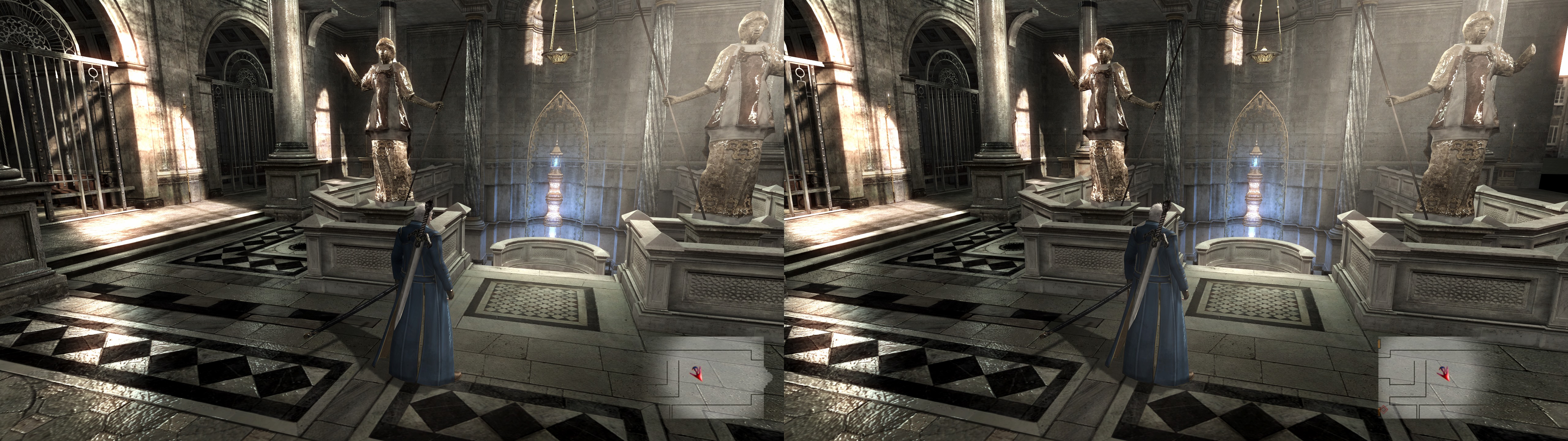
3D Vision fix for Devil May Cry 4 Special Edition.
Update (2018-04-14): fix updated with a better fix for water. Unfortunately, the nature of this experimental wrapper causes it to have different color or properties in missions 2 (exterior) and 3 (cave). The old fix is here just in case. If you want to restore the original water fix you have to delete all pixel shaders (files in "ShaderFixes" with filename ending with "-ps_replace.txt") beginning with "//Water". This update also adds extra features like disabling black bars, all bloom / tone mapping / HDR effects, motion blur, and also gives some real time HUD depth options (see the hotkeys and features section).
Fixed
- Fake lighting that was at screen depth now is at depth.
- Moon and sun lighting at correct depth.
- Fixed water reflections, but now water edges are broken (I couldn't fix that for now).
- HUD at fixed depth.
Special notes
- This fix uses an old and experimental 3Dmigoto build made for DX10 games. As such, some features aren't working, like the usual hotkeys I make for HUD depth or to disable some effects. I made a workaround for HUD depth, but other effects have to be disabled or not before booting the game.
- Also, the fix has to remain with hunting mode enabled (don't worry, it doesn't display any unwanted OSD). Don't touch the numpad number keys unless you know what you're doing.
- Every time you boot the game, the fix will add two bars ("//") at the end of every shader. If you boot the game one million times, that's two million of bars. Replace the shaders manually from the original fix to start over.
- If the game crashes for you (even without the fix), try this to modify the game exe with a Hex editor: http://steamcommunity.com/app/329050/discussions/0/1291816880499283959/
- The pcgamingwiki explains how to disable DoF and motion blur if you want. This fix offers the option to do that in "d3dx.ini". I prefer them disabled.
Installation
- Download this file and extract its contents in the "Special Edition" folder, where "DevilMayCry4SpecialEdition.exe" is.
- DON'T RENAME THE GAME EXE. It has to be "DevilMayCry4SpecialEdition.exe".
- To launch the game, you will always have to do it through "DMC4SE_fix.bat". Don't touch any key or button until you hear a "beep" sound. If you don't hear it after 25-30 seconds, reboot the game, because it didn't boot fast enough. All of this is necessary because this version of 3Dmigoto doesn't load modified shaders unless they are edited and reloaded while the game is running (the fix includes some bat and vbs scripts to make it as easy as just waiting for a "beep").
Hotkeys and features
- F1: convergence presets with HUD at screen depth.
- F2: convergence presets with HUD at 37.5% depth.
- F3: convergence presets with HUD at 75% depth.
- Non real time options can be configured in "d3dx.ini", after line 417 ("Graphics mods section"). To disable the mentioned effects described above each block, remove the ";" at the start of each line (except for text descriptions). This has options to disable motion blur and DoF, black bars, bloom, and one distortion effect. So you don't need to modify the game exe to disable motion blur anymore.
- Different HUD depth: search the string "hudmult=" in "56069ecccbba0250-vs_replace.txt", "71677acc263d29ef-vs_replace.txt", "8b057b487ccd6e5d-vs_replace.txt" and "e5b51c3e0ec0c0a9-vs_replace.txt". Change it to any value between 0 (screen depth) and 1 (full depth).
- Fake lighting stretching. Without this, which is enabled by default, fake lighting doesn't cover the whole image in the X axis. So I stretched it by 1/8 to fill that space. Search the string "float stretchmult = 1.125;" in "e805181ea59d3b36-vs_replace.txt". 1 is the default value to not stretch it.
If you liked the fix and want to contribute for more future fixes, you can donate to this PayPal account: masterotakusuko@gmail.com


0 Yorumlar